
Scalable Vector Graphics (SVG) define two-dimensional imagery using XML text rather than static pixel grids. Because every shape, stroke, and color is calculated from coordinate geometry, an SVG scales infinitely to any screen resolution without pixelation, blur, or file weight increases. Beyond scalability, SVGs integrate directly into HTML documents, allowing developers and designers to style elements with CSS and animate paths with JavaScript.
Whether you need custom interface icons, responsive logos, or automated data graphics, multiple approaches exist to produce your own SVG files. Choosing the right method depends on the complexity of your artwork, your familiarity with design software, and whether your workflow favors manual drafting, visual editing, raster tracing, or programmatic generation.
Understanding SVG Coordinates and Structure
Every SVG begins with an <svg> wrapper that defines the canvas boundary and coordinate grid. The coordinate system places the origin (0,0) at the top-left corner, with the horizontal X-axis increasing toward the right and the vertical Y-axis increasing downward.
The most important attribute on the root tag is viewBox. The viewBox defines a logical aspect ratio through four space-separated numbers: min-x min-y width height. For example, viewBox="0 0 100 100" establishes an internal 100×100 coordinate space. When embedded into web pages, the graphic expands or contracts to fit any container while maintaining its internal geometric proportions.
Method 1: Writing SVG Code by Hand
Hand-coding SVG files in a text editor provides precise control over markup cleanliness, file size, and semantic structure. This technique works particularly well for geometric icons, status badges, and basic layout shapes.
SVG includes several built-in primitives:
<rect>: Draws rectangles and rounded boxes usingx,y,width,height, andrxattributes.<circle>: Places circles using center coordinatescx,cy, and radiusr.<line>and<polyline>: Connect coordinate pairs with straight segments.<path>: Creates arbitrary shapes and curves through thedattribute string.
The <path> element is the most versatile building block in vector graphics. Commands within the d attribute guide the virtual pen: M (move to), L (line to), C (cubic Bézier curve), A (elliptical arc), and Z (close path). Here is a clean, hand-crafted bookmark icon:
<svg xmlns="http://www.w3.org/2000/svg" viewBox="0 0 24 24" width="24" height="24" fill="none" stroke="currentColor" stroke-width="2" stroke-linecap="round" stroke-linejoin="round">
  <path d="M19 21l-7-5-7 5V5a2 2 0 0 1 2-2h10a2 2 0 0 1 2 2z"/>
</svg>
By declaring fill="none" and stroke="currentColor", this icon inherits color dynamically from parent CSS text styles, making it immediately theme-aware in web applications.
Method 2: Visual Vector Editors
For complex illustrations, detailed character art, and brand marks, writing coordinates manually becomes impractical. Visual vector editors let you draw curves, align paths, and preview color palettes in real time.
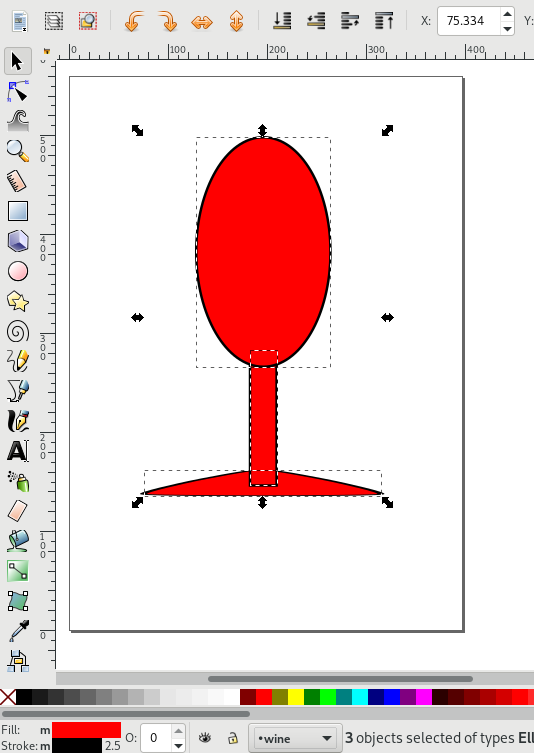
Inkscape is the premier free, open-source desktop editor for vector graphics. It uses SVG natively as its working file format, meaning layer groups, path markers, and gradients are saved directly as W3C-compliant XML elements. Inkscape excels at node manipulation, boolean path operations (Union, Difference, Intersection), and precise curve shaping via the Bézier tool.
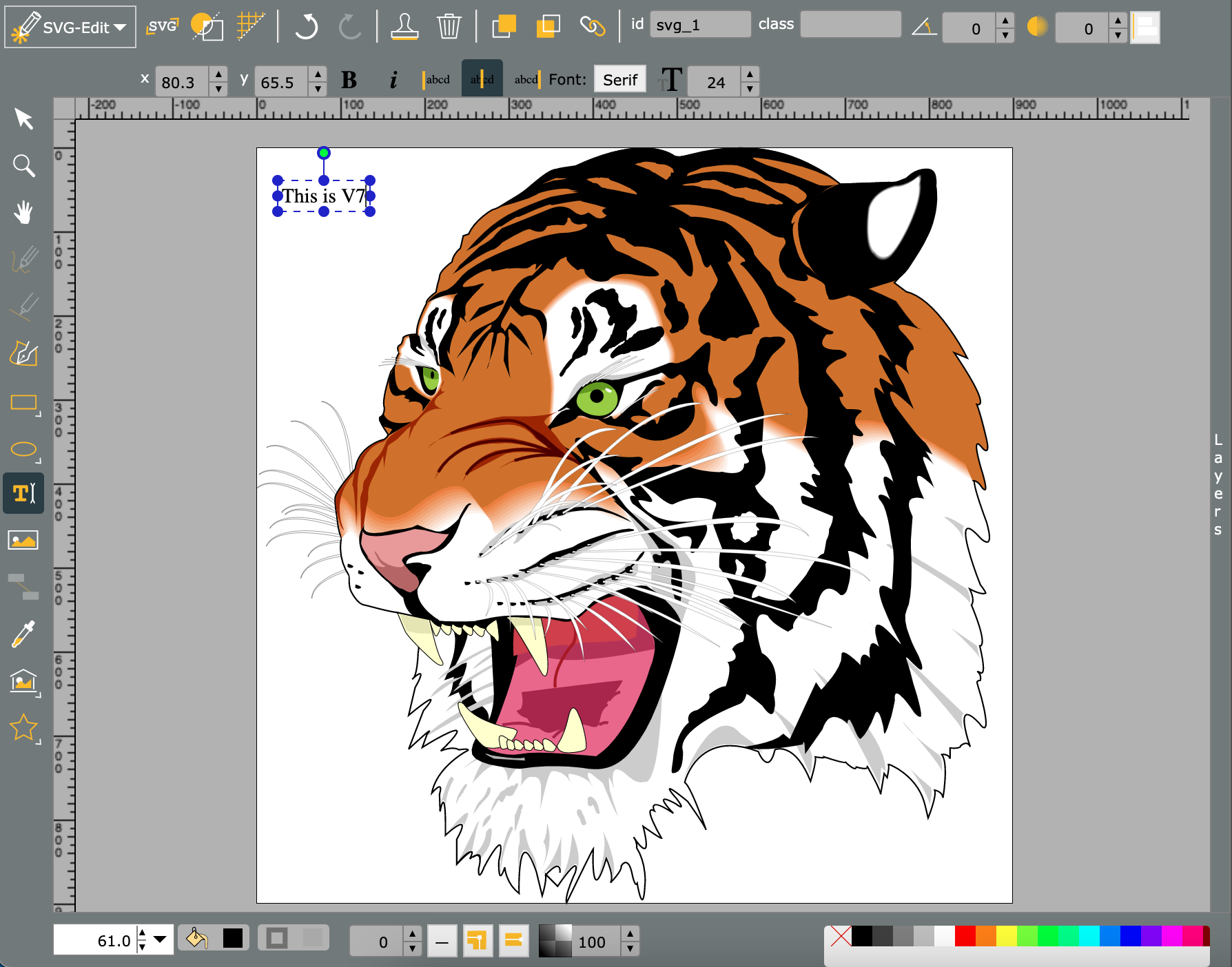
Web-based editors like Figma and browser tools like SVG-Edit offer streamlined interfaces suited for component design and interface prototyping. When creating icons in visual software, observe these export practices:
- Outline strokes: Convert stroked lines to filled paths before export if stroke scaling needs to remain uniform across varying CSS display sizes.
- Flatten overlapping layers: Merge compound shapes using boolean union operations to prevent redundant hidden geometry inside the output file.
- Snap to integer pixels: Align anchor points to an underlying grid (such as 24×24 or 32×32) to prevent anti-aliasing fuzziness on low-DPI displays.
Method 3: Vector Tracing from Raster Bitmaps
If you have existing hand-drawn sketches, scanned logos, or raster PNGs that need to be vectorized, tracing software automates the conversion process. Vector tracing algorithms detect edges and color boundaries in bitmap pixels and translate them into mathematical Bézier curves.
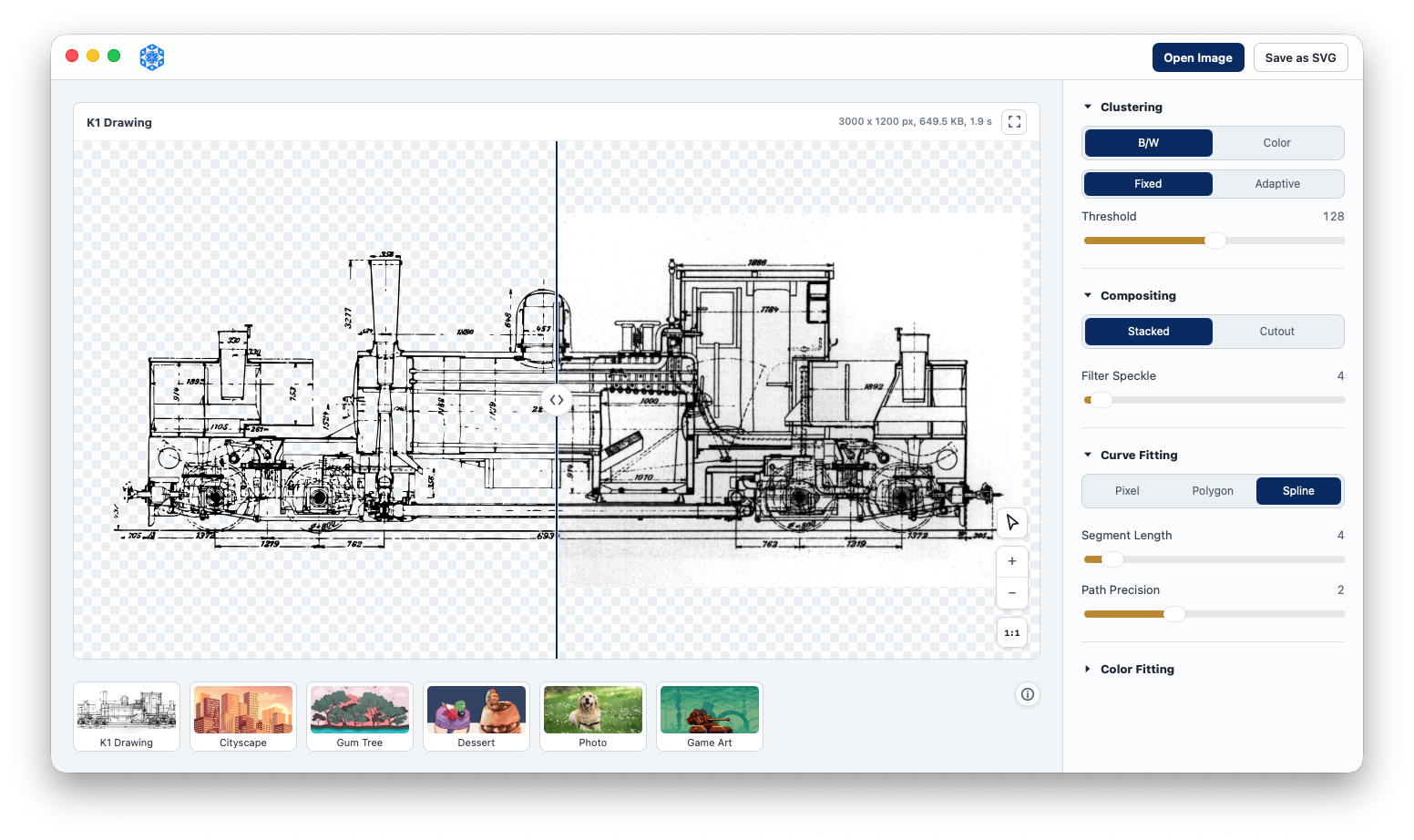
Two prominent open-source engines power vector tracing:
- Potrace: Focuses on monochrome bitmap conversion. It transforms black-and-white silhouettes and scanned line art into smooth, compact Bézier paths. Inkscape embeds Potrace under Path > Trace Bitmap.
- VTracer: A modern raster-to-vector engine written in Rust that supports full-color images through adaptive pixel clustering and polygon smoothing.
To achieve clean vector results, prepare your raster image first: crop tightly to the subject, increase contrast to eliminate gray compression halos, and remove background noise before running the tracing algorithm.
Method 4: Programmatic Generation via Code
Because SVG is plain text markup, software applications can generate vector files programmatically. This method fits automated charting engines, generative artwork, algorithmic patterns, and dynamic reporting systems.
In Python, libraries like drawSvg or svgwrite construct vector files through object-oriented code:
import drawsvg as draw

d = draw.Drawing(200, 200, origin='center')
d.append(draw.Circle(0, 0, 80, fill='#2563eb', stroke='#1d4ed8', stroke_width=4))
d.append(draw.Text('SVG', 32, 0, 10, center=True, fill='white', font_family='sans-serif'))
d.save_svg('generated-badge.svg')
In JavaScript, data visualization toolkits like D3.js and Paper.js manipulate SVG elements in the browser DOM to render real-time interactive dashboards and exports.
Cleaning and Optimizing Your SVG Files
Visual design applications often inject proprietary metadata, editing layers, and excessive coordinate precision into exported SVGs. An unoptimized export can be two to three times larger than necessary.
Run your exported files through SVGO (SVG Optimizer) to strip unused XML namespaces, remove hidden metadata comments, collapse transformation matrices, and round fractional coordinates:
# Optimize an SVG file via the SVGO CLI
npx svgo input.svg -o output.min.svg
Once your clean vector master file is ready, tools like SvgToAny allow you to batch convert and export your SVGs to production formats including PNG, WebP, ICO, and ICNS, ensuring consistent assets across all platforms and devices.